 ApiTab

A fast API client
built for you and your team
ApiTab is a lightweight, local-first API client — download the desktop app (no browser, no CORS restrictions) or install the browser extension. Sign in and your collections sync automatically through this server.
A workspace that feels instant
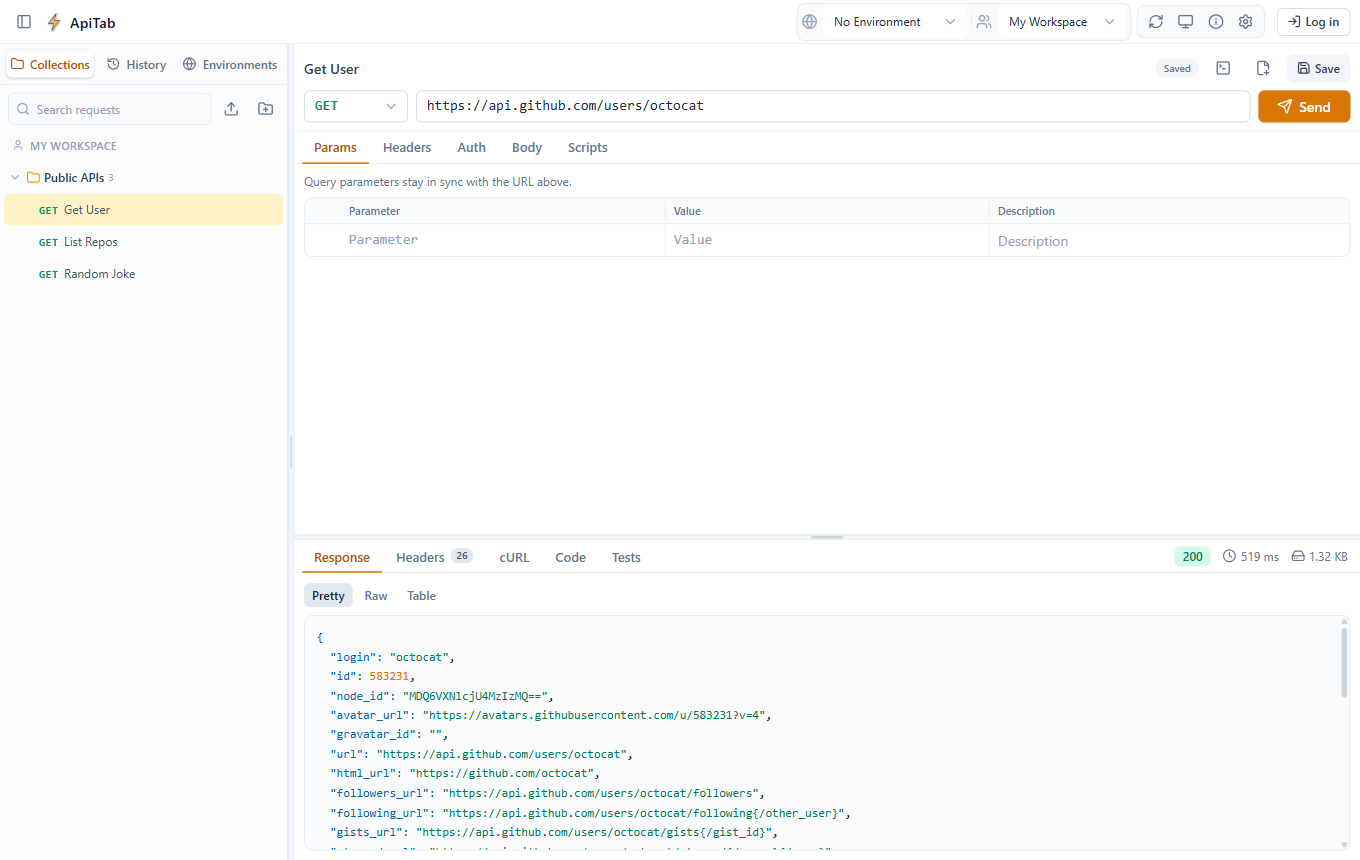
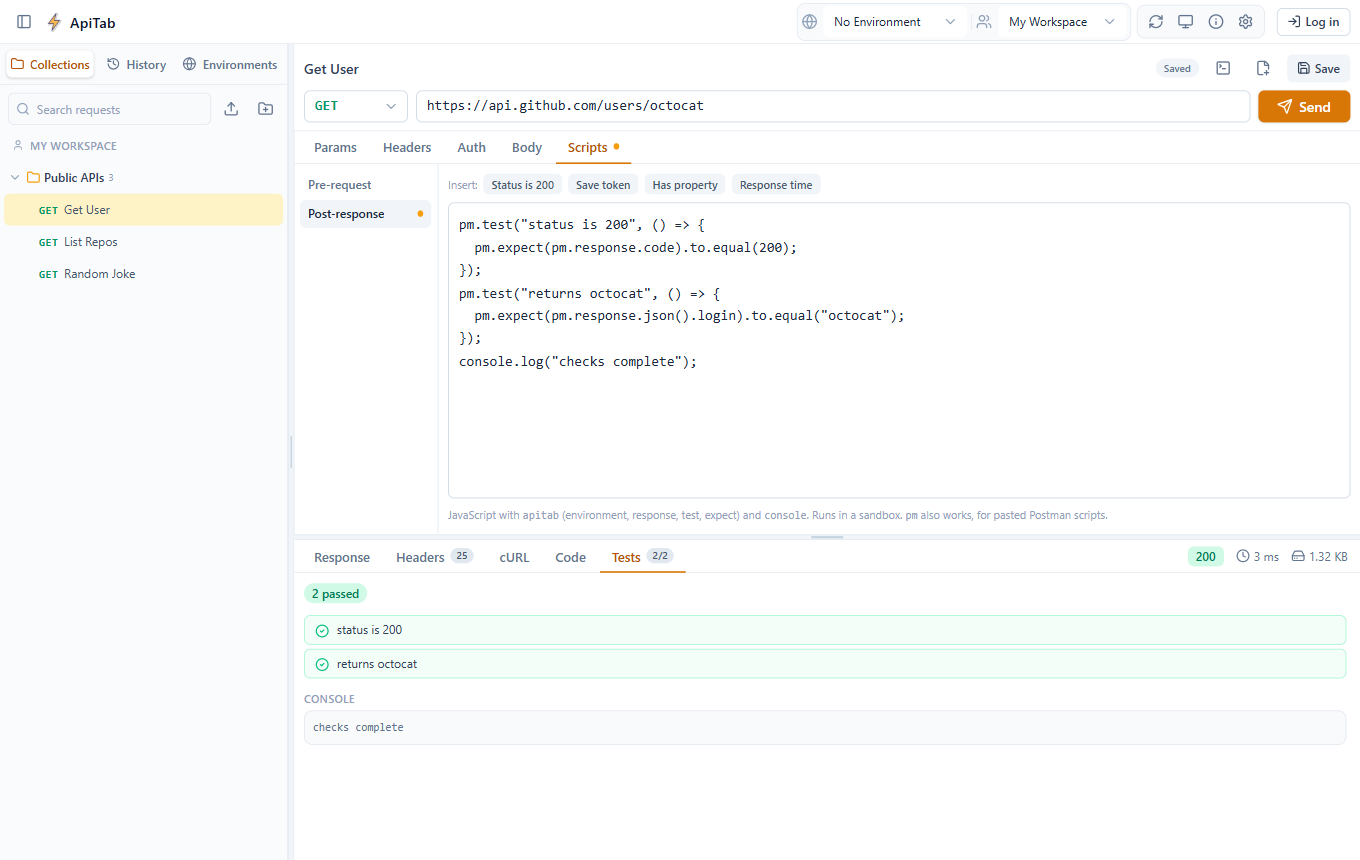
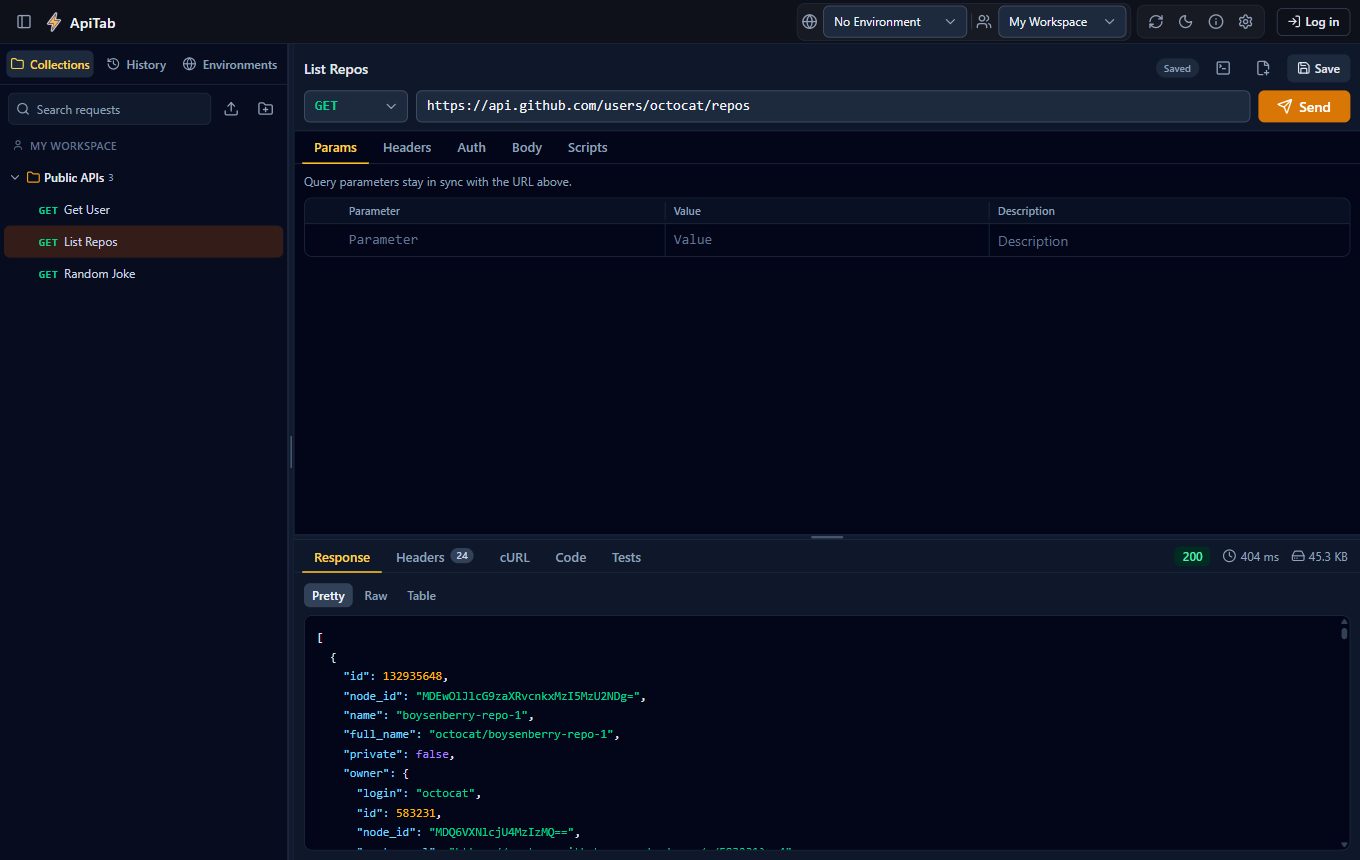
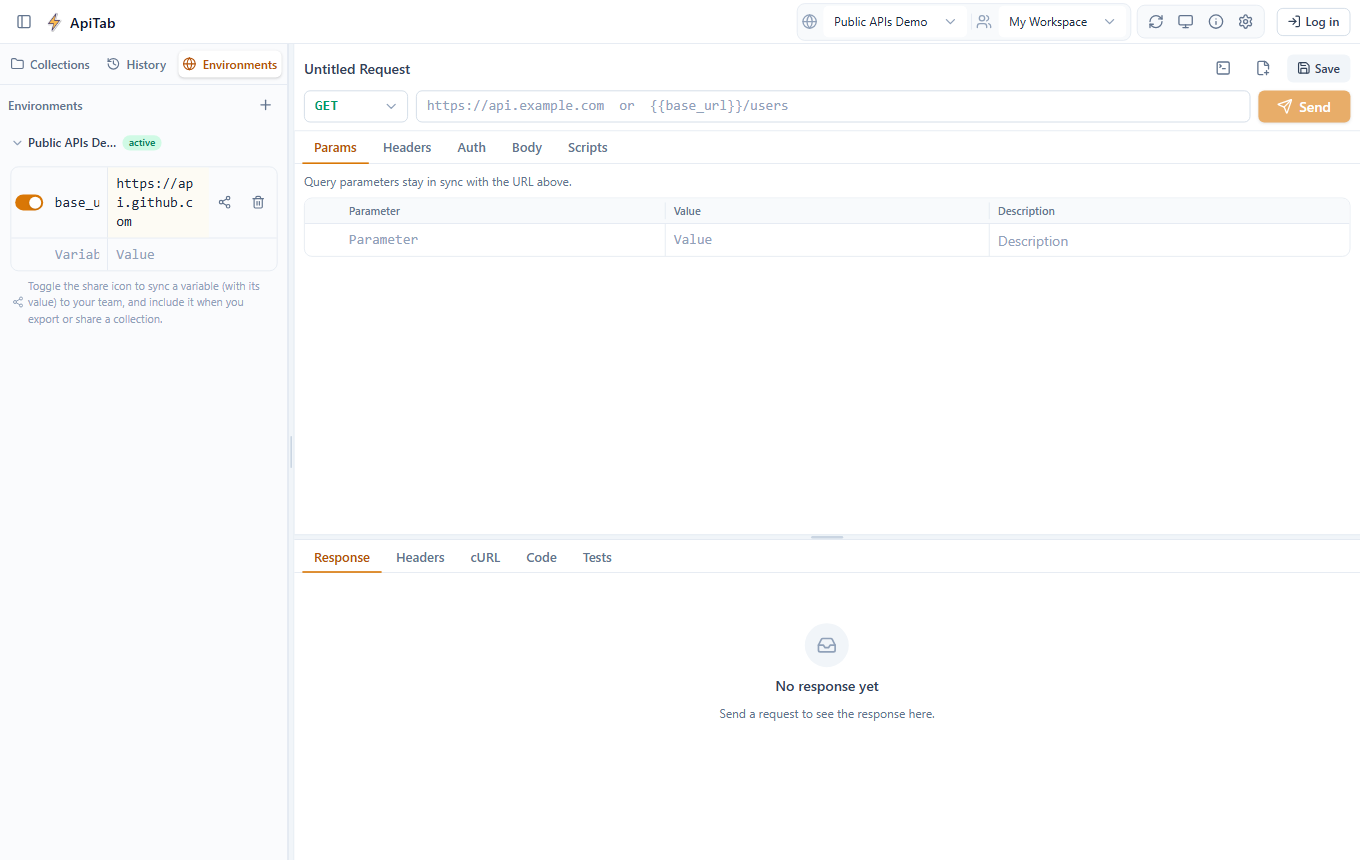
The same interface, pixel for pixel, on the desktop app and the browser extension.
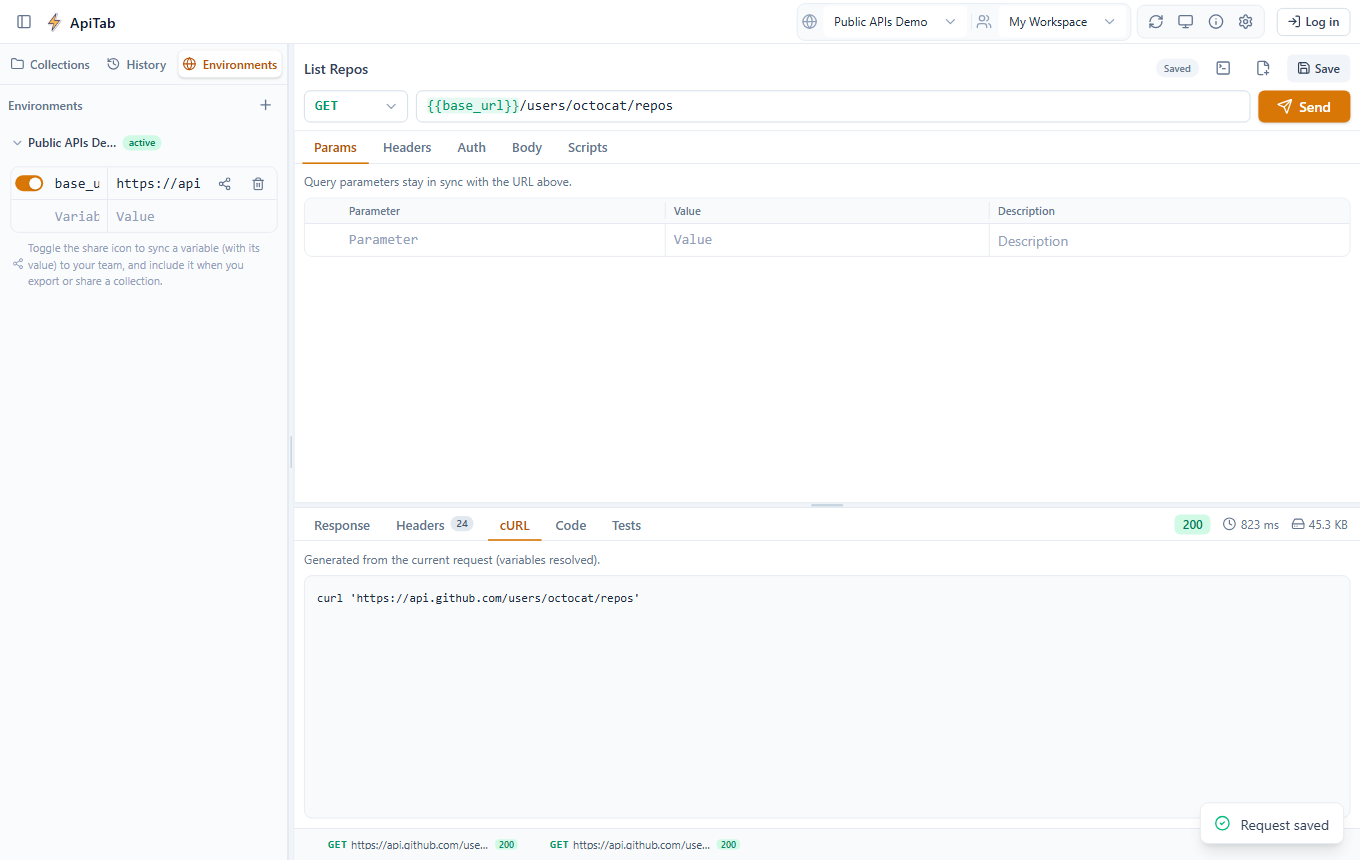
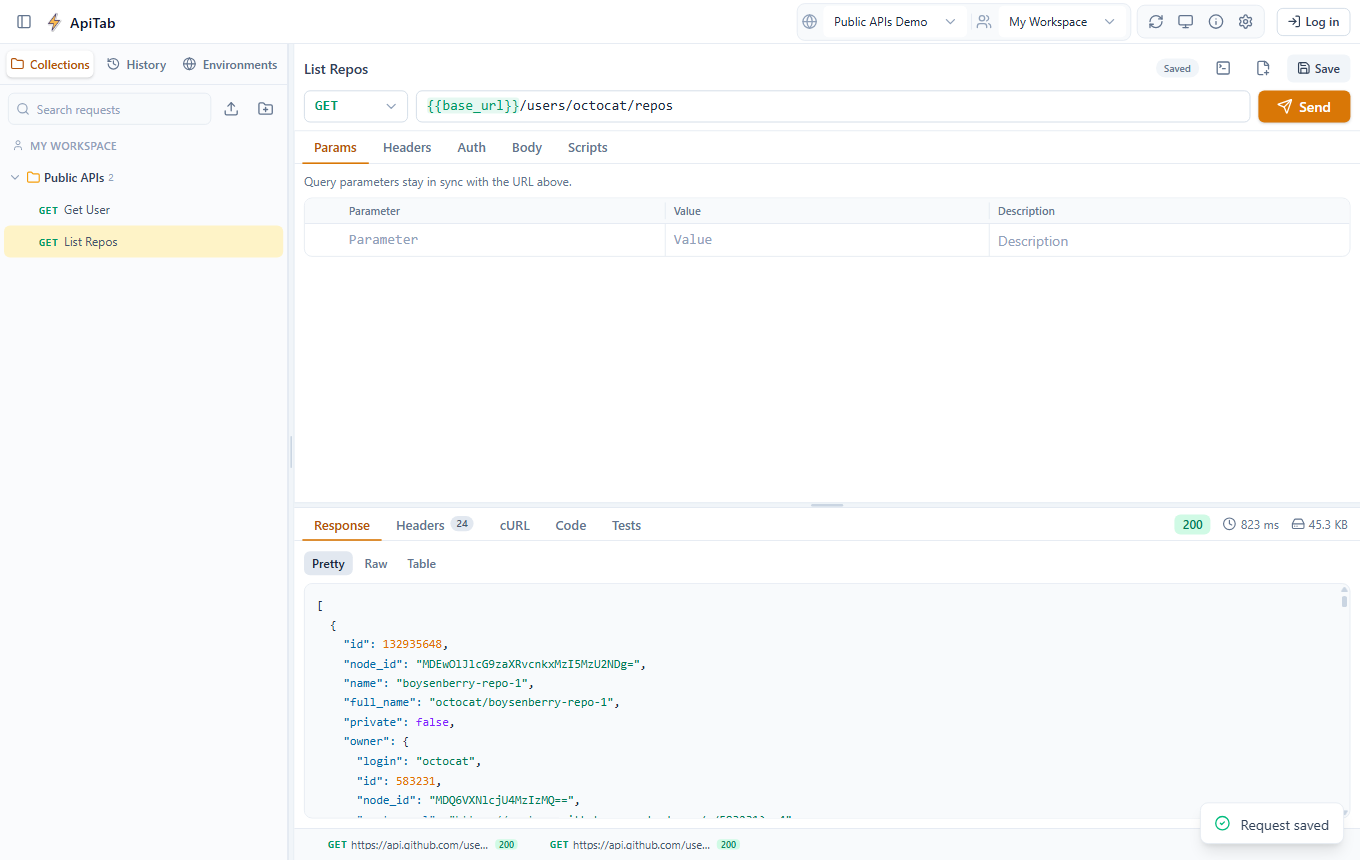
ApiTab Desktop
A native app — no browser required, and no CORS restrictions on the requests you send.

Windows
Installer for Windows 10 & 11 (x64)
Download for Windows- 1Run the downloaded
setup.exe - 2Windows may show an "unknown publisher" warning — click More info → Run anyway
- 3Follow the installer, then launch ApiTab from the Start Menu

macOS
Universal build for Apple Silicon & Intel
Download for macOSInstallation guide
- 1Open the downloaded
.dmgand drag ApiTab into Applications - 2Open Terminal (Spotlight → type "Terminal") and run:
xattr -cr /Applications/ApiTab.app - 3This is expected for unsigned builds — macOS quarantines anything downloaded from a browser, which can make it say the app is "damaged" even though it isn't. The command above clears that flag and only needs to be run once.
- 4Open ApiTab normally from Applications or Launchpad
- 5If you instead see an "unidentified developer" warning (a softer prompt than "damaged"), right-click the app → Open → confirm Open in the dialog — only needed the first time
- 6Not sure of the install path? Run
ls /Applications | grep -i apitabto confirm where it landed

Linux
Choose the package format for your distro
Portable, no installation required
Download AppImage- 1Make it executable:
chmod +x apitab-desktop-1.4.36.AppImage - 2Run it:
./apitab-desktop-1.4.36.AppImage - 3See
error loading libfuse.so.2? Ubuntu 22.04+ drops FUSE 2 by default — runsudo apt install libfuse2(orlibfuse2t64on 24.04+), or skip it with./apitab-desktop-1.4.36.AppImage --appimage-extract-and-run
Native install for Debian, Ubuntu & derivatives
Download .deb- 1Install it:
sudo apt install ./apitab-desktop-1.4.36.deb - 2Launch ApiTab from your applications menu, or run
apitab-desktop - 3To remove it later:
sudo apt remove apitab-desktop
Native install for Fedora, RHEL & derivatives
Download .rpm- 1Install it:
sudo dnf install ./apitab-desktop-1.4.36.rpm(orsudo rpm -i apitab-desktop-1.4.36.rpmon older systems) - 2Launch ApiTab from your applications menu, or run
apitab-desktop - 3To remove it later:
sudo dnf remove apitab-desktop
Plain portable archive — works on any distro
Download .tar.gz- 1Extract it:
tar -xzf apitab-desktop-1.4.36.tar.gz - 2Enter the folder and run it:
./apitab-desktop
Install ApiTab in your browser
Same account, same synced collections — the extension talks to this same server.

Chrome
Also works in Edge, Brave & other Chromium browsers
Download (.zip)- 1Unzip the downloaded file
- 2Open
chrome://extensions - 3Enable Developer mode
- 4Click Load unpacked and select the folder

Firefox
Get it from Firefox Add-ons, or load the source manually
Get it on Firefox Add-ons Or download source (.zip)- 1Recommended: install straight from Firefox Add-ons above
- 2Manual install instead: unzip the source .zip
- 3Open
about:debugging#/runtime/this-firefox - 4Click Load Temporary Add-on and select
manifest.json
Built for teams, not tabs
Everything ApiTab's apps need to keep collections and environments in sync across your team — nothing more.
Token auth
Email/password auth with Sanctum bearer tokens — no cookies, no CORS headaches for either client.
Team workspaces
Create teams and assign shared collections to specific teammates — recipients accept or decline from a live preview, and removing a member revokes their access immediately.
Collections & environments
Full folder/request trees and variable lists stored as-is — mirroring the client apps' types field-for-field.
Conflict-safe sync
Last-write-wins, enforced server-side. Stale writes get a 409 and the current copy back.
Zero-setup storage
Ships with SQLite for local dev — no external database to provision before you get started.
Open REST API
A small, predictable API under /api — everything the apps need, nothing extra.
Both apps are open source
The ApiTab desktop app and browser extension are both fully open source — read the code, run it yourself, or send a pull request.
Desktop app
Electron + React, MIT licensed. Every line that touches your data is public.
Browser extension
Same MIT license, same transparency — no closed-source binaries, no minified black boxes.
No hidden security risk
Open source means nothing is hidden — no obfuscated code, no undisclosed network calls. Both apps do send a lightweight, anonymous usage ping (session length, IP or account id if you're signed in — nothing else) that powers the usage chart below; the code for it is public like everything else, so you can verify exactly what it sends.
Built with help from the community
ApiTab is open source — anyone can contribute. Here's who has.

Own the app for your team?
ApiTab isn't just something you use — it's something you can run. Host it on your own infrastructure for full control over your team's data, zero per-seat cost, and no vendor lock-in.
Growing every day
Daily users across the desktop app and browser extension — registered and anonymous — over the last 30 days.
| Date | Registered | Anonymous | Total |
|---|---|---|---|
| Oct 13, 2026 | 4 | 3 | 7 |
| Oct 12, 2026 | 4 | 1 | 5 |
| Oct 11, 2026 | 3 | 4 | 7 |
| Oct 10, 2026 | 0 | 5 | 5 |
| Oct 9, 2026 | 0 | 3 | 3 |
| Oct 8, 2026 | 4 | 2 | 6 |
| Oct 7, 2026 | 4 | 4 | 8 |
| Oct 6, 2026 | 5 | 2 | 7 |
| Oct 5, 2026 | 5 | 5 | 10 |
| Oct 4, 2026 | 2 | 1 | 3 |
| Oct 3, 2026 | 0 | 0 | 0 |
| Oct 2, 2026 | 0 | 2 | 2 |
| Oct 1, 2026 | 4 | 1 | 5 |
| Sep 30, 2026 | 3 | 1 | 4 |
| Sep 29, 2026 | 3 | 2 | 5 |
| Sep 28, 2026 | 2 | 2 | 4 |
| Sep 27, 2026 | 3 | 0 | 3 |
| Sep 26, 2026 | 0 | 0 | 0 |
| Sep 25, 2026 | 0 | 1 | 1 |
| Sep 24, 2026 | 2 | 5 | 7 |
| Sep 23, 2026 | 6 | 9 | 15 |
| Sep 22, 2026 | 3 | 2 | 5 |
| Sep 21, 2026 | 7 | 2 | 9 |
| Sep 20, 2026 | 4 | 3 | 7 |
| Sep 19, 2026 | 0 | 0 | 0 |
| Sep 18, 2026 | 0 | 3 | 3 |
| Sep 17, 2026 | 3 | 0 | 3 |
| Sep 16, 2026 | 3 | 3 | 6 |
| Sep 15, 2026 | 3 | 4 | 7 |
| Sep 14, 2026 | 2 | 2 | 4 |
Questions, feedback, or thinking about self-hosting?
Reach out directly, or send a message below — either way it lands straight in my inbox.
Contact information
Bug reports, feature ideas, or evaluating ApiTab for your team's own infrastructure — I read and reply to every message myself.
Ready to get started?
Download ApiTab Desktop or install the browser extension — either way, your team's collections stay in sync.